

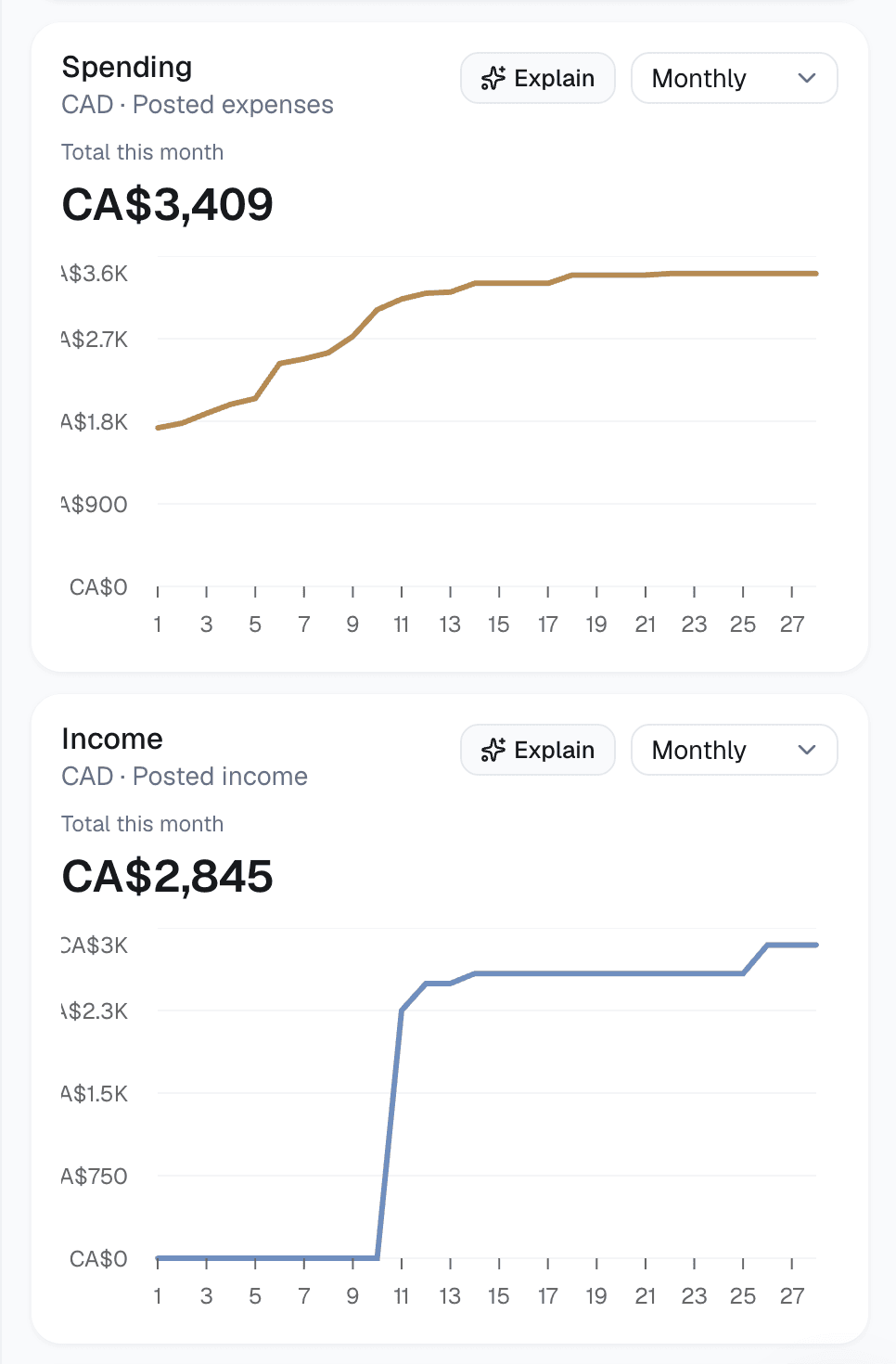
Follow spending and income
Watch posted spending and income change through the month, in the selected currency.
See your accounts and spending in one place. Ask Nora when you want to understand the details.
Currently free. No card required.
Connect accounts with Plaid
Spending by category
Explore spending by category, then look closer at any total.
Nora chat
Ask Nora about your finances and inspect the account data behind its answer.
Recurring activity
See confirmed recurring bills and income on one calendar.
Watch posted spending and income change through the month, in the selected currency.
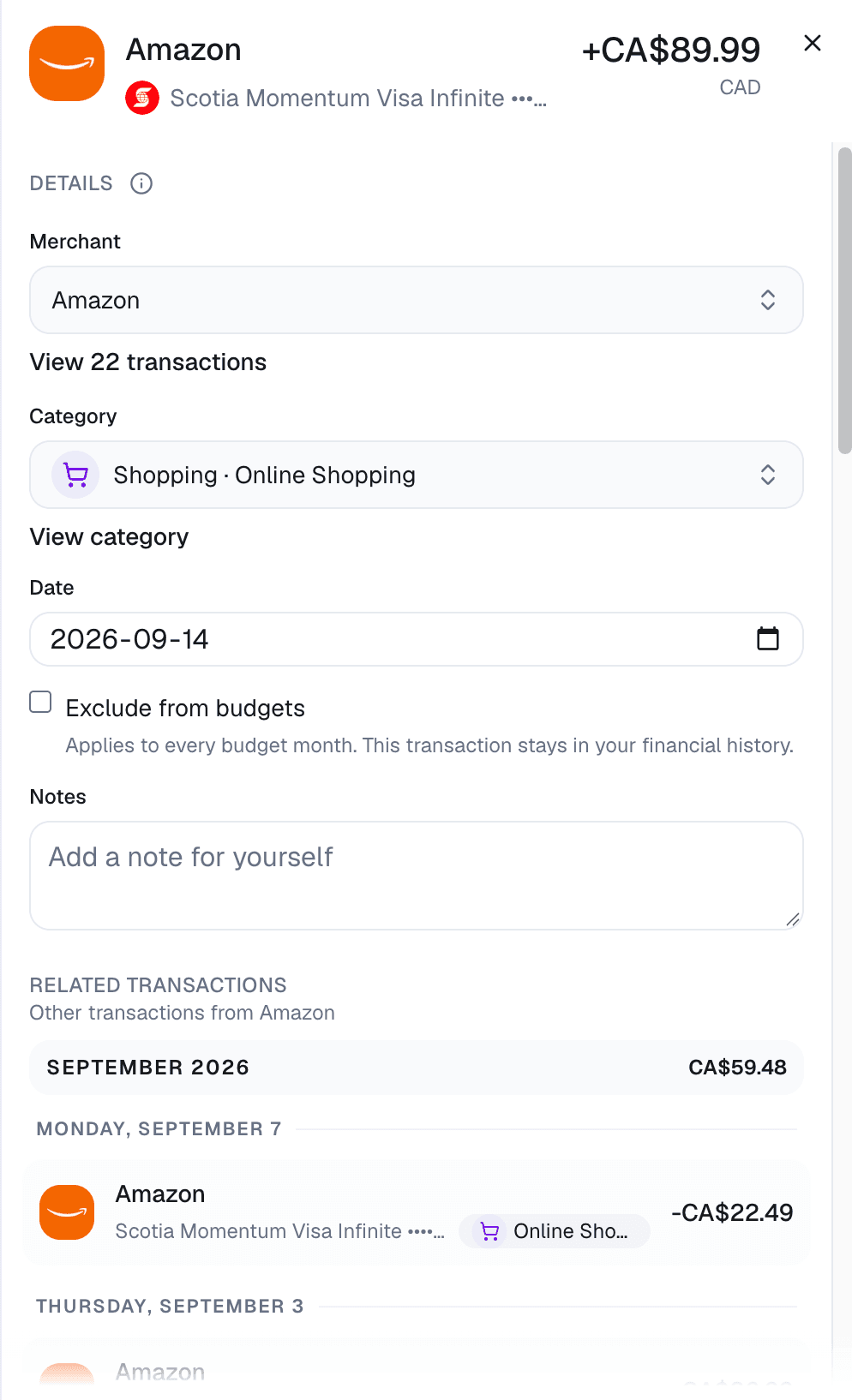
Review a transaction, change its category, and add a note when you need to.
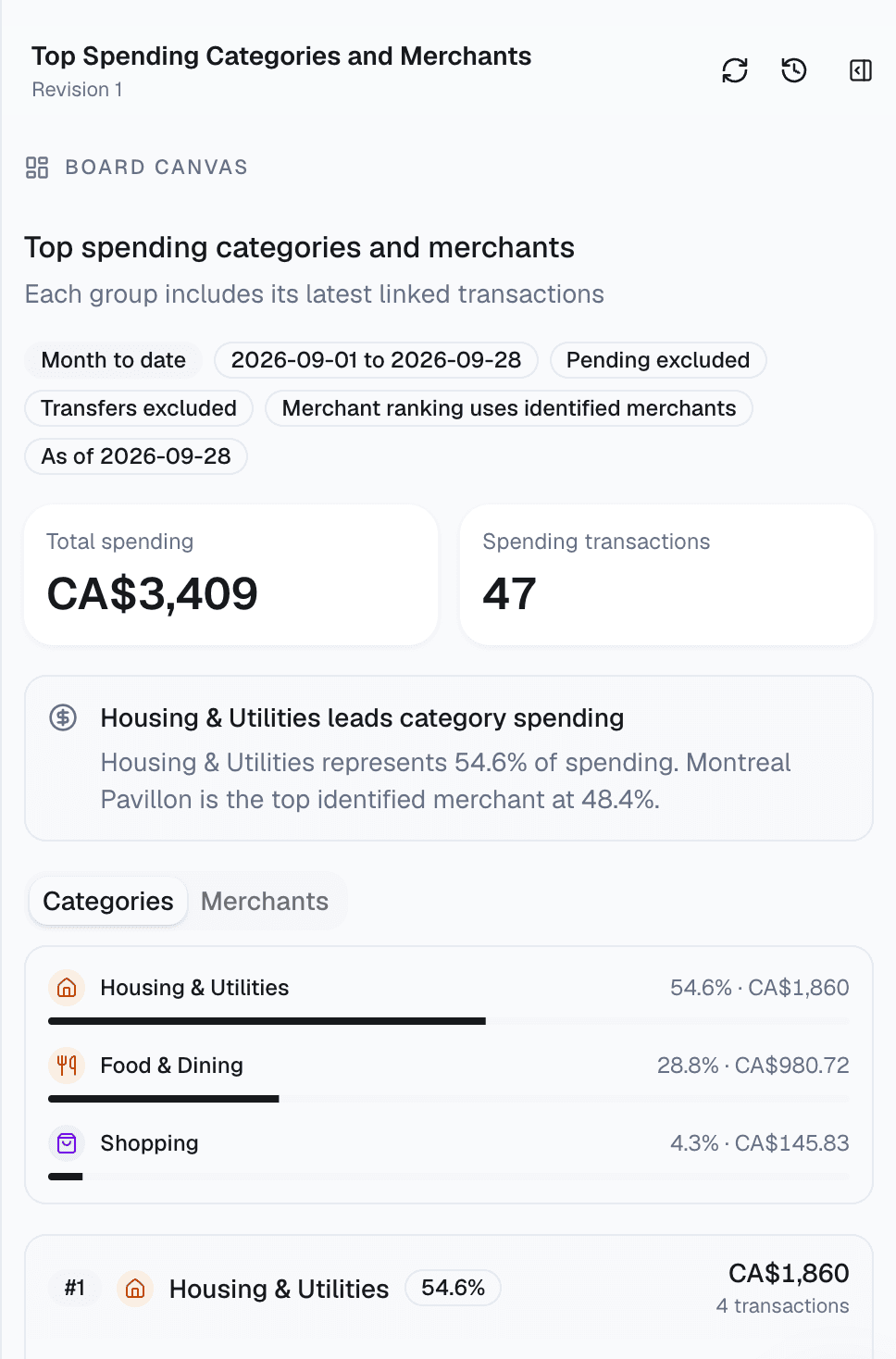
Build a Board around the categories and merchants you want to follow.
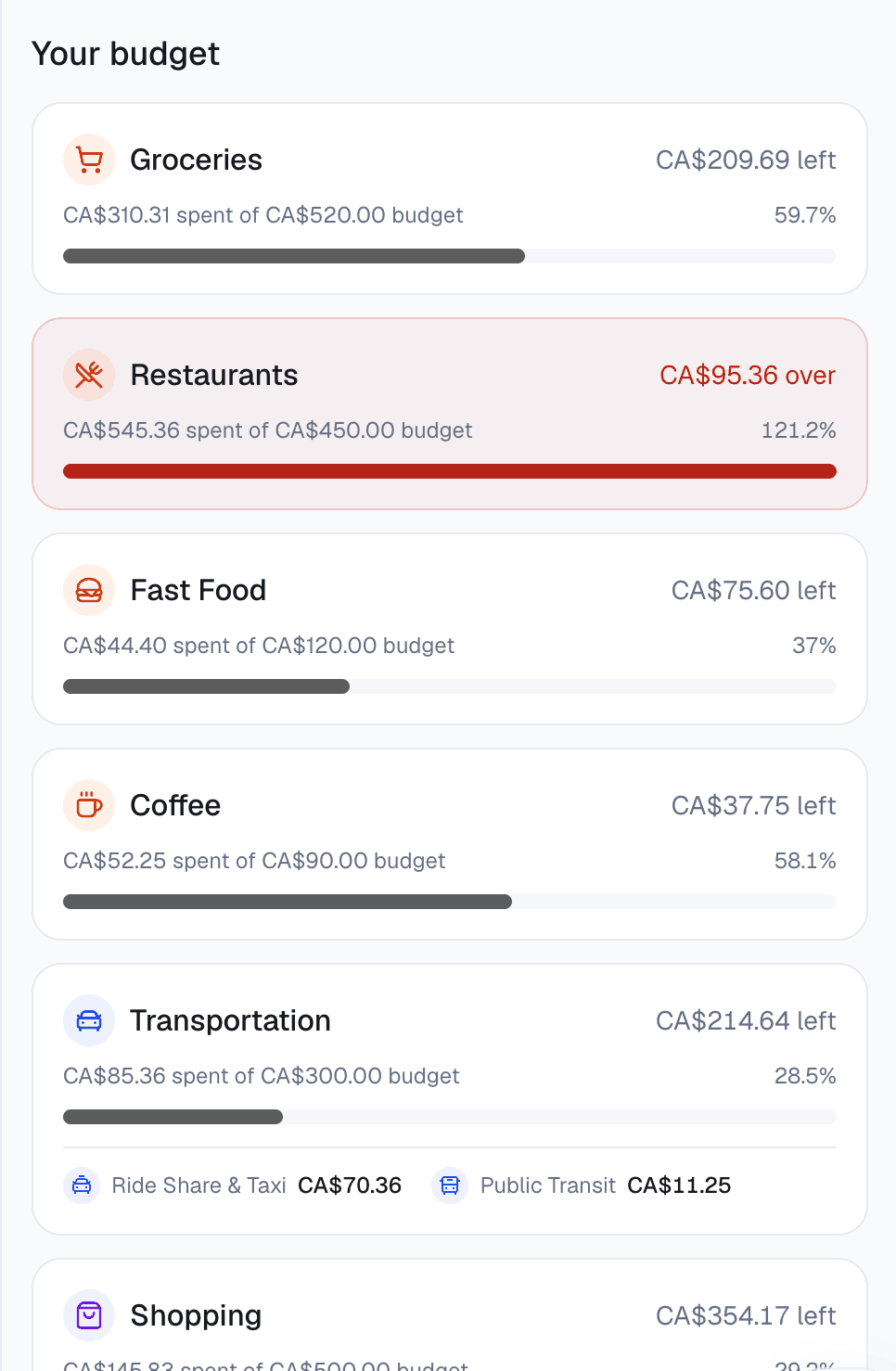
Compare each category’s spending with your monthly budget and spot what’s over.
Connect AI
Ask about your finances in the chat you already use. You choose what each read-only connection can access.
Connect Nora to ask ChatGPT about the financial data you approve.
Connect ChatGPTHow to analyze your spending with ChatGPTAI responses can be wrong. Check important answers against Nora and your bank records.
Nora is currently free. You don’t need a card to create an account or connect an institution.
You can connect banks, credit cards and other institutions supported by Plaid in the US and Canada. Search for yours during setup to check availability.
Read the full explanationNo. Nora is read-only: it cannot move money, place trades or act as your adviser, broker or fiduciary.
Read the full explanationNora does not sell your financial records, chats or Boards, or share them with advertisers or data brokers. They belong to your account.
Read the full explanationDisconnecting stops normal sync and requests removal of provider access. After removal completes, you can separately delete imported data from normal product use; storage and backup retention limitations still apply.
Read the full explanation

 Claude